Skip to content Skip to main navigation Skip to footer

All Tutorials

Make money with Weebly

5 Wonderful Ways to Make Money with Weebly

A lot of you asked on how to make money online with Weebly websites. Here we’re listing a few proved methods on how to make money online. Actually money comes from traffic so that is what you need to focus on if you want to make money online from any website.

It’s been said many times before but content is king; if you provide good content then your information will be shared, people will spend more time on your website (Time spent by a person on a site is a Google ranking metric) and you will appear higher in the rankings. Obviously ranking higher in the search results means more organic SEO visitors which equals potentially more earnings.

How to Make Money with Weebly


1. Create Affiliate Websites

One way to make money with Weebly is to simply create a website with it. And your business is your website if you choose to do affiliate marketing. There is a simple process to making money with affiliate marketing but a lot of people over-complicate things.

The basic outline of affiliate marketing is:

  1. Pick a topic that you’re interested in where you can help as many people as you can
  2. Build a website
  3. Create content so you can attract traffic to your website
  4. Monetize the content with affiliate links to products your audience will find useful

You should be able to create a profitable website with Weebly that makes you money if you ever follow the above example. Here’s how to create a website with Weebly.

2. Sell Products or Services

Affiliate marketing isn’t the only way to make money with a website that you own. If you have expert knowledge about a topic, another way you can go is to create a product, could be a digital product like an e-book or video course and sell it.

Websites that sell digital products or offer services do not need a lot of pages but Weebly websites offer blogging features which you can use to create extra keyword-based articles that can bring you free additional traffic through SEO or social media marketing.

3. Create an Online Store

You can start an online store with Weebly and start selling products. Before you do anything, it’s important to decide what types of goods you’ll sell online. Once you you have figured out everything, you can go ahead and launch your business. Here how to create an online store with Weebly.

4. Design/Develop Websites

Another simple way to make money using Weebly is to use the website builder and your website design skills to develop websites for other people. There are lots of individuals and small businesses that probably still do not have an online presence and still there are others who may have one but not a very good website.

This is a pretty good opportunity to lend a hand to your community and make some money in the process.

Final Word

Well, there are some great opportunities out there for making money online. You can grab one of the methods above and try to make money with Weebly.

build website with phone

How to Build a Website With Your Phone

Weebly was founded in 2006. Since then, it provides a powerful free program that makes it easy for anyone to build websites without any coding or technical knowledge. The company gone far recently and it did something a few thought was possible: It introduced iOS and Android apps that allow mobile users to update their content, add photos and images, moderate comments, monitor stats and even build an entire site or blog right from their iPhones. And it’s free.


Weebly for iPhone, iPad and Android

build website with phone

Weebly Apps for iPhone, iPad and Android devices allow you mainly to start a website/blog, customize it, get detailed stats and more. You may learn more and download the Apps via this link.

Weebly navigation

How to Make and/or Recreate Website Navigation in Weebly

Menu is one of the most important elements in a website. It allows you to highlight your pages and have an an organized content. You can easily manage your menu in Weebly from the Pages tab, and this article will get you off to a great start.


How to Make and/or Recreate Website Navigation in Weebly

1. Click on the Page tab

navigation in weebly

2. If you’d like to add new pages, you can click the + button at the top of the Pages sidebar.

3. Now you can see all the pages you have. You can rearrange the order of the pages by clicking and dragging them up and down the Pages list. Dragging a page to the very top of the list will make that page your Home page, as indicated by the house icon next to the page name. Changing the order of pages in the list will also change the order in which they’re displayed in the navigation.

Menu in Weebly

The navigation menu in Weebly will show your main pages, and when you hover over them, your sub-pages will appear in a drop-down menu below them.

There you go — you’re all set! 🙂

Related: 

Square Acquires Weebly

Square Acquires Weebly Website Builder for $365 Million

Square, Inc. a company that helps sellers all across the globe start, run, and grow their businesses from secure credit card processing to point of sale solution has acquired Weebly. Different sources confirmed the deal.

Weebly features an “easy and simple” drag and drop interface, which can help users build professional looking websites in a matter of minutes with no prior technical knowledge required.


Weebly Cloud is a reseller platform used by hundred of web hosting providers globally. As per 2018, the company has millions of end customers and more than 725,000 paid subscribers.

Related: What does the future hold for Weebly?

promote your weebly website

Top 36 Free Places to Promote Your Weebly Website

We’re always helping you build a website, but, we consider it our duty also to guide you guys into the next step, which is increasing site traffic. Well, this article is all about how to promote your Weebly website.


Promote Your Weebly Website

Promoting your Weebly website to reach wider audiences is a pretty difficult process. One of the very first steps is to find high quality directories and online platforms that allow you to submit your website’s address. To save you the leg work, we gathered a list of around 36 high quality online places for promoting websites. Find them all below.

promote weebly website

Online Directories for Businesses

Social Media and User-Generated Content

Social Bookmarking and Curating

Ready for online action? Create a website with the Weebly website builder!

Weebly Statistics: Monitor Weebly Website Traffic with Stats

Checking the traffic of websites is an important factor for improving it and optimizing its SEO. Well, this article goes through the different ways of viewing the number of visits to your Weebly website. Weebly has already a simple statistics tool which can be used to check the number of page views and unique visitors for any particular period of time.


How to Monitor Weebly Website Traffic

Once logged in to your Weebly dashboard, you can view a snapshot of statistics for any of your sites directly on that individual site’s Dashboard.

You can click on the stats link to view the detailed statistics for the past one month data.

Even though the available Weebly statistics option allows you to check your website’s traffic and some useful stats in general. it does not show pretty much everything you need to know. You won’t have access to a detailed report of your visitors behaviors etc. That being said, we do recommend you to use any different, powerful analytics tool such as the one provided by Google: Google Analytics.

Alternate Option for Weebly Statistics

Google Analytics is basically the best free tool to get detailed analysis of traffic data for any kind of websites. Google Analytics actually shows all kind of traffic with the user behaviour on your site like which page they entering most and which page they are leaving most. Well, here’s an easy to follow tutorial that explains how to link Google Analytics to your Weebly website.

If you liked this tutorial, then you may consider subscribing to our WeeblyTutorials YouTube Channel for Weebly video tutorials. You can also find us on Twitter and Facebook.

Get the Most out of Weebly: 7 Tips & Tricks

Weebly claims millions of people using their popular website builder solution. One of the important factors for Weebly’s success is its ease of use: Creating a website has literally never been easier.

Assuming your website is live, you may want to tweak and optimize your website’s performance with some extra functionalities. We want you to get more out of your Weebly website and take it to a professional level. Well, to do so, we collected 10 Weebly tips and tricks that can help you step up your online presence.

Top Weebly Tips & Tricks


#1. Get a Personalized Business Email Address

If you want people to take you seriously online, you’re most likely need to provide visitors with your email addresses, and, not using any free email services. You may use the Google App email option with Weebly to create a customized email address that showcases your domain name.

#2. Stay Mobile-Friendly

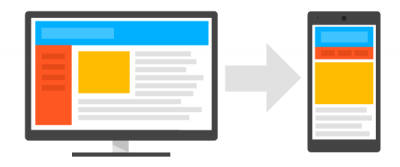
To get as many visitors as possible, one needs to optimize their website to mobile viewing. Here’s an article that explains how to turn on the Weebly mobile version of your website.

#3. Improve Weebly Search Engine Visibility

Search engines like Google are a primary source of natural incoming traffic. In order to get as many visitors as possible, we need to optimize our websites. These two articles explain it all:

4. Add Galleries for More Dynamic Pages

If you have a big numbers of images, you should consider displaying them all together with Weebly image galleries. These galleries give your images a fresh look and add a professional touch to your website. Here’s a tutorial that shows how to add an image gallery to Weebly.

#5. Get More out of Social Sharing

Anyone should definitely customize his website to be optimized for social media sharing. For instance, adding social media icons to any website would help sharing it in the different social media platforms. This will naturally boost brand visibility and create consistency for your brand across channels.

#6. Analyze Your Stats

To improve website’s overall performance, we need to check its number of visits and some other number behind it. Weebly allows an easy integration of some friendly tracking tools. Here’s a tutorial that shows how to set up Google Analytics with Weebly.

#7. Capture Visitors with a Stunning Background

Anyone knows how important is the first impression. Websites’ backgrounds are the first thing visitors will notice. Anyone looking to have a professional, nice-looking website would consider choosing a stunning background. This will definitely make your content shine. Here’s an article that shows how to add a background image in Weebly.

Inspired? Create your own Weebly website now >>

How to Add a Contact Form in a Weebly Website

Through a contact form, one can provide visitors an easy way to contact them. Visitors can put simple information, such as their name and email address.

The free version of Weebly has a limit of five fields per web form, while the paid version allows an unlimited number of fields. The good thing is that anyone can create as many forms as he likes regardless of whether or not they have a pad plan.


How to Add a Weebly Contact Form

In order to add a contact form in Weebly, you’d just need to drag the Contact Form element to any page of your Weebly website, then click on the element to edit.

While editing a web form in Weebly, the Build tab will display form field elements that you can add to your form, as well as some basic elements, like text and images.

Once finished creating the form, click on the Form Options button to enter delivery addresses and configure the rest of the options.

Weebly Contact Form Not Working?

When a contact form is sent, the information entered in that form is emailed to the address tied to the form. If you didn’t receive that email, obviously there’s a problem somewhere!

First, check your Spam Mail folder in case the emails are being landed there. If you see the emails in your spam folder, mark them as “Not Spam” using whatever option your email provider has.

If you don’t see them there, make sure you have the correct address assigned to your form. To do so, click on your form element, then the Form Options button.

You may also want to test with any other email address.

We hope this article helped you learn how to add a contact form in a Weebly wbsite. You may also want to see these 10 essential tutorials that every Weebly newbie should know.

Don’t miss: How to Change Weebly Form Name

If you liked this tutorial, then you may consider subscribing to our 
WeeblyTutorials YouTube Channel for Weebly video tutorials. You can also find us on Twitter and Facebook.

How to Drive Traffic to Your New Weebly Website? A Complete Guide

A good website is something that can surely boost your business and be a source of a stable income. Unfortunately, you cannot launch a website online and only wait for visitors to come and check it — they will not. There are millions of websites  & ads nowadays. The competition in the digital market is pretty difficult.

The good news is that it is still possible to manage website traffic. We, at WeeblyTutorials.com have a unique collection of free resources to help you do that. This article has a selection of tips for website promotion and SEO — mostly dedicated to Weebly..


Increase Traffic to a Weebly website

The following article is divided to these sections:

  1. On-page SEO

  2. Content Optimization

  3. Link-building

  4. Content Promotion and Newsletters

  5. Paid Advertising

Weebly Onpage Seo

On-page SEO involves optimizing site elements on a specific website in such a way that Google and the different search engines give your website higher rankings and interpret its content more accurately. Because of on-page SEO, the website gets more visitors and the traffic is more relevant.

Tips & Tricks

  • Make sure you’ve optimized website content.
  • Check the link architecture and make sure that there is a crawlable link structure leading to every page of your website.
  • Take care of page metadata by optimizing the page titles, content descriptions meta tags, keyword meta tags, author meta tags, copyright, and robot meta tags.
  • Check your page titles; they should contain keywords or, even better, begin with a keyword.
  • Weave LSI keywords into your content. They are synonyms that Google sees as relevant to your keywords.
  • Use rich snippets and experiment with Schema markup.
  • Optimize the visible data by using “h1, h2” tags, putting keywords closer to the top of an article, emphasizing key phrases, and using descriptive outgoing links.
  • Make the website mobile-friendly by simply choosing a Weebly mobile-friendly theme.

What Can Go Wrong?

  • Overuse keywords. Content will then look unnatural.
  • Too many broken links.
  • Using the same anchor text for all your links.
  • Your meta descriptions and title tags are not unique.
  • There are pages in your website structure that talk about the same things.
  • Your website doesn’t have region-specific keywords and is not optimized for local search.

Content Optimization

The term “content” refers to text, images, sounds, videos, and animations on a website. Optimizing content means creating and organizing it in such a proper way that:

  • It is created with a good understanding of the audience and their use of keywords in search of information.
  • Each piece of content, no matter how long it is, is focused on one topic and helps readers accomplish a specific task.

Tips & Tricks

  • Define users. This helps understanding your target audience.
  • Brainstorm keywords for each user. And predict how that visitor can reach your website.
  • Analyze your list of keywords with some SEO tools such as Google AdWords Keyword Planner, Google Trends, etc.
  • Eliminate old and duplicate content.
  • Check whether the copy on your website is unique and original.
  • Create a content plan; post regularly and consistently.
  • Re-purpose your most popular content.

What Can Go Wrong?

  • You used only short keywords
  • Too many keywords are being used.
  • Plagiarized content
  • Your articles do not include quality external links.
  • You are not using Google Analytics or Google Webmaster Tools to check how your optimization is working.

Link-Building

Link-building is the process of having back links from well-known and authoritative websites to yours. Different search engines use hyperlinks to find new websites and to rank them in search results. The higher your Weebly website is ranked, the more natural traffic it will get.

Link building is a process that should be done on an ongoing basis.

Tips & Tricks

  • Specify which keywords you want to rank for.
  • Choose sources for traffic-driving links.
  • Use third party tools like SimilarWeb, to find out from which sources other similar websites get traffic.
  • Analyze the authority of websites that you want to get back-links from.
  • Find useful, reliable site directories that work in your niche.

What Can Go Wrong?

  • You will get too many links with exact keyword match in the anchor text. Google can penalize you.
  • You were using expressions like “Look here” or “Read more” as anchors.
  • Getting backlinks from sites having a bad reputation is a bad idea.
  • Buying or selling back-links and were banned by the search engine.

Content Promotion & Newsletters

The content promotion is an essential way to increase the visibility of your Weebly website through spreading your content across targeted venues. It increases traffic in such a good way.

Email marketing involves building up a database of email contacts and sending them tailored messages via email.

Tips & Tricks

  • After publishing content, promote it by sending a newsletter to your contact list.
  • Include social media buttons into all your articles and emails.
  • Tweet about each new blog post.
  • Write a post on Facebook or Google+ about every new article.
  • Make original visual content and share it on Instagram.
  • Find influences and ask them to read your content and link to it.

What Can Go Wrong?

  • You publish some content and did nothing in terms of its promotion.
  • You don’t deal with comments on your website or social media.
  • You spend too much time promoting bad quality content.

Paid Advertising

Paid advertising covers Pay Per Click Advertising etc. It simply means that you buy relevant traffic for your website.

Tips & Tricks

  • Make sure you have chosen the right combination of keywords for your PPC campaign.
  • Write an outstanding ad with a clear call to action.
  • For a social media advertising campaign, create highly shareable content.
  • Make videos on YouTube and social media.

What Can Go Wrong?

  • Started with a big PPC campaign without testing it first.
  • You have not analyzed the keywords your competitors use before starting your campaign.
  • You’ve targeted wrong visitors.
  • The style of the ad doesn’t match the target audience.

We hope this article helped you learn how to increase traffic to your Weebly wbsite. You may also want to see these 10 essential tutorials that every Weebly newbie should know.

If you liked this tutorial, then you may consider subscribing to our WeeblyTutorials YouTube Channel for Weebly video tutorials. You can also find us on Twitter and Facebook.

Scroll to top button weebly

Add a Scroll to Top Button in Weebly Website

Scroll to top is a useful way to go to the top of a specific web page. Lots of websites do use this, by clicking on the arrow image, you will be taken to the top of that page. Well, this tutorial explains how to add a scroll to top or back to top button in Weebly websites.


How to Add a Scroll to Top Button in Weebly

There are basically five steps involved in adding scroll to top or back to top button:

  1. Download and modify the scroll to top JavaScript file.
  2. Download the up arrow image.
  3. Upload JavaScript and Image file to your Weebly site.
  4. Add Scroll to top in all pages.
  5. Add scroll to top in specific pages.

We’re going through each step in details.

Step 1. Download and Modify the Javascript File

  • Download the file named “scrolltopcontrol.js”.
  • Open the file in the editor like Notepad++ and look for the code <img src=”up.png”>.
  • Replace it with the image path of your Weebly website as below:

img src=“http://yoursitename.weebly.com/files/theme/up_arrow.png”

  • Save the modified file.

Step 2. Downloading the Up Arrow Image

  • Right click on any of the below image and save it to your local drive.
  • Ensure to change the image file name to “up_arrow.png”.

Step 3. Uploading Files to Your Weebly Site

  • Login to your Weebly account and select the site you want to add scroll to top function.
  • In Weebly editor go to the “Theme” tab and then click on the “Edit HTML/CSS” button.
  • Click on “+” icon in the “Assets” tab, select “Upload File(s) from the dropdown and upload the modified “scrolltopcontrol.js” file.
  • In the same manner upload the “up_arrow.png” image file.
  • Save your theme, if this is the first time you upload files into your site then you will be prompted to enter a new theme name for your site. Enter a new theme name and save your changes.

Now wer’re almost done and left with two options for adding the scroll to top feature:

Add in all pages of the site.
Only in specific pages.

Step 4. Adding Scroll to Top in All Pages

  • Copy the below code and modify it by replacing “yoursitename.weebly.com” with your real Weebly site name.

<script type=“text/javascript” src=“http://yoursitename.weebly.com/files/theme/scrolltopcontrol.js”></script>

  • Go to “Settings” tab in the Weebly editor and paste the code in the “Header Code” box under “SEO” section.

Save your changes and publish your site to see an arrow button placed in the lower right corner when scrolling down. You can see the up arrow image in all your pages and clicking the image will take you to the top of your site.

Step 5. Adding Scroll to Top on Specific Pages

Go to “Pages” tab in the Weebly site editor and select the page you want to add the scroll to top function. Click on the “Advanced Settings” link and paste the above code in the “Header Code” box as shown in the below picture.

Save the changes and publish your site. Open the particular page and see the arrow button is now placed on the lower right corner of your page when scrolling down.

We hope this article helped you learn how to add a scroll to top button in Weebly. You may also want to see our guide on how to stop search engines from crawling a Weebly site.

If you liked this tutorial, then you may consider subscribing to our WeeblyTutorials YouTube Channel for Weebly video tutorials. You can also find us on Twitter and Facebook.