Skip to content Skip to main navigation Skip to footer

All Tutorials

handcode

WYSIWYG and CMS vs. Hand Coding

Web development is a terrifying thing for many people. For the last couple of decades, it’s been the field of the experienced techies. Nowadays, having an online presence is something essential for almost everyone and a must especially for businesses. The ability to create a pretty good-looking, professional online platform often holds people back. In addition, not everyone has the budget to hire a professional developer to get the job done, and much more do not have the time to learn to program themselves, which is a very normal thing.


This current research is going to give you the full rundown of the website development available methods and approaches. From the hand coding aspect to the content management systems and the WYSIWYG editors.

The key issues starting a website

Thinking of starting a new website, a lot may think directly that this field is dedicated to only experienced web professional and programmers. Several questions may come up to our minds and many things to consider before doing so. For instance, we cannot start building a website without thinking about the budget, graphic to please the eyes, security, who are going to be our visitors, target countries and much more. Most importantly, and the main challenge actually start by, how and with what tool we are developing the website. That could be the most crucial part of the online adventure.

WYSIWYG: Features and limitations

Website builder

I had the opportunity to work with couple website builders, which they are Weebly and SquareSpace, two of the best worldwide, most popular site builders for the last few years. For this research paper, I will be writing regarding the WYSIWYG editors based on the few projects that I worked on with these builders.

Either using an online or an installed client-side WYSIWYG editor, anyone will be going through almost the same features. These editors such as Dreamweaver, FrontPage, were the oldest to bring this approach to the market. It all started with some installable software that provided an interface allowing us to create some pages and link them to each other.

Microsoft FrontPage was one of the very few editors worldwide, according to Charles Ferguson (1996), a co-founder of Vermeer Technologies, the company that created FrontPage before it sold it to Microsoft, «Our lives would have been far simpler if we could have written just a shrink-wrapped PC application like Word to let people develop websites. “. It’s being said, Ferguson’s company, Vermeer, was among the first to tackle the issue of visual web development (HTML) design and management, and its product, FrontPage, was designed to tackle the issue by combining simple HTML design and, if needed, complex functionality. Vermeer had a completed first version of what would become FrontPage in just a handful of months and then its software was sold to Microsoft with over $130M. The amount that Microsoft spent on buying out Vermeer was in January of 1996 – and it was paid in stock.

Years went by we started seeing more and more WYSIWYG editors such as Dreamweaver, which already became as popular as FrontPage. These last few years, online website builders such as Squarespace, Weebly, and WIX have become the trends in the WYSIWYG field. For instance, nowadays, Weebly alone hosts over 40 million websites all across the globe and that number is growing every day. This can give us a little hint on these website builders. Thousands of people tend to choose them to start their online adventures for several reasons. Most of these reasons because simply they won’t be hiring a professional web designer with a cost of $3000 and more. The simplicity of launching a website for quick with no extra cost is also a major thing to consider for them not counting the included features.

WYSIWYG editors make website development a bit easier — especially for non-techie people. They allow performing several tasks faster than we could do them by programming. For instance, complex nested tables with different rows and columns are often a way easier to draw using a site editor than manually, by hand. Most of the website builders nowadays offer several useful features such as easy ready-to-use theme selection, visual interface to drag and drop elements, the ability to even integrate a blog and other interesting things. Most importantly, website builders are super beginner-friendly.

While they are beginner-friendly, WYSIWYG editors have various limitations. For example, if we build a website with one of the most know site builder, let’s say, SquareSpace, it won’t be possible for us to migrate it to any host provider. If we decide to switch hosts, will have to start everything from scratch. This fact applies to most online website builders. One of the other major disadvantages is that HTML generated by the WYSIWYG editors is usually incorrect and not validated which decreases the chance to rank higher in the search results.

CMS – Content Management Systems

When it comes to CMS, we can straight think of creating advanced websites. Depends on what we are looking to launch, we can find different optimized CMS for our needs. For instance, PrestaShop or OpenCart are highly recommended in starting online stores. Drupal, Joomla, and WordPress can be used for a variety of purposes from blogging, e-commerce to streaming websites. Several platforms worldwide are being powered by these content management systems. We may cite the White House official website, which is built with Drupal. This definitely gives us an idea of how these CMS are popular and widely trusted and used.

It is true that working with CMS is a lot more challenging to do than with simple WYSIWYG editors, yet it’s very recommended to do so. There are plenty, easy to follow tutorials online. I, personally, created several websites based on different CMS, most of them were powered by WordPress and the results were amazing. The good things are that these actual CMSs are open source applications, flexible to work with, which is means you can almost alter everything and you may have full control on where to host the website. Not like the case with the website builders. Huge communities are also behind these CMS, they allow us to get a lending help very easily when needed.

Hand Coding

While those less knowledgeable, techie people find working with hand coding is more trouble than it is worth, hand coding it is still very highly valued in the corporate world.

For instance, when applying to be hired in a company for a web related position, the ability to code in let’s say PHP and some other web languages by hand is a must and very important. Awareness at least of the most known CMS such WordPress is highly preferred. It’s been said, anyone’s looking to work for an IT company, or in the Web development field in general, they, unfortunately, won’t get the job by just knowing Dreamweaver and how to setup Weebly. They absolutely have to be familiar with programming. If the question is why the answer is simple: knowing how to code will allow anyone to work smarter especially when it comes down to problem-solving. Even though it’s not required to perform programming when doing a project for a company. You might develop it with a website editor, that’s fine, but still knowing how to program to go beyond the basics is a must. That’s why it’s preferred at the corporate level.

Every WYSIWYG editors, either a client-side or a based web application is built with hand coding. Same thing applies to the different CMS’s we are working with today such as WordPress, Joomla, Drupal or any other one. All of them have been built with hand-coding using different programming languages. Yet, every period they are still maintained and is updated by the web specialists with hand coding, otherwise, they can be outdated, and useless to use as the technologies advance. This makes us realize, no matter how we can build websites with any third party application other than programming it, hand coding still a must for every professional web developer. That’s some of the many reasons hand-coding is still valued highly

In short, coding simply stays the best option for full customization and control over any given website.

Conclusion

In short, since the beginning, WYSIWYG editors tried to solve an important problem in the early-internet era – it’s simply the idea of making web development accessible to everyone regarding their technical skills or past experiences. These website editors gained a big popularity over the next few years. We have seen thousands of people without any technical knowledge developing their websites, which it wasn’t the case for the first Internet decade era, at least. CMS are here for creating pretty advanced websites while hand-coding still a major part of what programmers do on a regular basis to develop, update, and/or improve any CMS/website builders. Without hand-coding, we wouldn’t, for sure, have any of these editors or CMS. But, what we can add also, context is still everything. Depends on what we’re trying to achieve, it’s always preferred to grab a solution that best fits the situation doesn’t matter if it’s a CMS, a visual editor or with pure hand coding.

Weebly Web Analytics

Web Analytics – Available Tools to Assist Webmasters

A webmaster that does not use web analytics is like a person that does not use their glasses. Using web analytics is technically not required to keep a website functional, but it might as well be due to the numerous benefits it can have. To be short and sweet, web analytics basically analyzes consumer behavior on a website. According to Kejriwal (2016),  “Web analytics is useful to any business for determining market interest, segmentation of the market, target market, analyze market trends and determine the behavior of website visitors. It is also a useful tool to understand visitor’s interest and preferences.”  Web analytics is essential for any modern business looking to analyze its consumer base, or non-consumer base for that matter, at a deeper level.


There are many benefits to using web analytics, so let’s discuss the most common. Firstly, web analytics can be used as a tool to measure web traffic to see how many people view the website and even where they are being directed from. This kind of information is useful because it can be used to determine which avenues of access should be focused on or improved, such as social media or search engines. Secondly, web analytics can be used to measure visitor behavior on a website. For instance, how much time a visitor spends on each page. Web analytics can also be used to determine demographics of a website’s visitors. Thirdly, web analytics can be used to track something called “bounce rate”. Bounce rate is when a visitor accesses a website but does not take any further action. High bounce rate could indicate that something is not working correctly on the website. Web analytics can also measure which pages visitors use to exit the website. This information may be useful if visitors are leaving a web page that is not an exit page, which could mean that they are confused. Fourthly, web analytics can be used to optimize marketing strategies by targeting specific markets.

According to Brand24, “In a nutshell, with Web Analytics, you can measure your website’s online traffic, and improve your advertising campaigns. Adopting the use of Web Analytics can be a smart step for small and local businesses, as the tool is free and caters to the needs of small organizations having low advertising budgets.”

Features of web analytics will continue to evolve and grow along with advancements in technology. Use of artificial intelligence to analyze consumer behavior on websites is cutting-edge and is currently being used at companies with high-profit margins. Another recent advancement is cloud computing, which is still a relatively new tool and is being used to improve web analytics because bigger sets of data can be moved and stored at one time.

website challenges

Planning and Defining Business Requirements in the Web Development

Planning and defining business requirements is crucial to the success of any business endeavor and the designing and building of a website is no different. This means communicating with clients early on, prior to the developments stage, and clearly understanding their needs and the goals they want the website to achieve. Determining time, budget, and technical constraints as well as defining in detail project objectives and guidelines are also important steps that must be documented (Harbour). The purpose of the website should be apparent to all parties involved, including developers, designers, managers, and stakeholders.


Certainly, fulfilling these requirements is easier said than done considering how many people can be involved in a project, each with their own perspectives. In the long run, however, the effort expended early on can determine the overall success of a project.

Sufficient planning serves several important roles. It helps developers and clients narrow down and agree upon project expectations, which initially could be unclear or unrealistic in regard to available resources. It also saves money because the project will be delivered on schedule without delays, which limits expensive revisions caused by inaccurate design and miscommunication; with clearly defined objectives, the overall quality of the project will be improved and the chance for disagreement will be reduced (The Importance of Planning & Preproduction). The significance of the initial planning stage is so important to a project’s success that some agencies spend roughly half of their time and budget within this development phase (The Importance of Planning & Preproduction).

Managing scope creeps, in particular, is an issue that commonly affects web development projects and is largely caused by insufficient communication between a company and its clients (Harbour). Scope creep occurs when new requirements are added to a project that was not part of its original objectives. Several features that clients commonly request web developers implement that may creep into a project include additional web pages; image slideshows; blogging services; additional images and content; periodic updates; and search engine optimizations (Harbour).

Senior project analyst Tim Clark offers several pieces of advice to limit scope creep. Be vigilant right from the beginning, examining and responding to client requests as soon as possible; some requested features may simply be too ambitious, unreasonable, or not clearly defined (Clark). Clarify any misunderstandings immediately and if new features must be implemented, be up front with the client in regards to any added costs and time restrictions this might cause (Clark).

While proper planning can indeed be considered the most important stage of a project, ample communication must occur throughout the website’s development, including when it goes live, in order to encourage successful iteration and feedback.

Website creation challenges

Main Challenges People Face When Building a Website

Depends on what kind of websites someone is going to launch, several challenges might encounter the developer. I am listing below 3 key challenges that present themselves web developers face building websites. Fortunately, each of these challenges can be overcome in different ways, it just takes time and effort.

Website loading speed tends to be a real challenge for web developers. Nowadays, in order to have a successful website, it has to be optimized for a very low web pages load speed.This means for developers that users do not like to wait so long nor have the patience for slow web applications. A lot of research confirmed the fact that people will abandon any website that takes more than three, sometimes couple seconds to load. That puts more stress on developers as users ask and look for several functionalities with rich contents that might affect negatively the website overall load performance but want it fast as well. The developer will have, depends on the website type, to either optimize and well configure the CMS/web creator used to mount the website, apply changes as needed to optimize his programming code,choose the right hosting platform and/or even go further in details and play with the DNS settings, use privates ones with a third party service such as Cloudflare to speed them up.


Nowadays, Websites face more security threats than ever before. Phishing, sending Spam emails, getting personal information are some of the reasons hackers target users online. For instance, launching an online store would require providing a secured connection, preferably with a SSL certificate to encrypt data being transmitted between visitors and the servers. Depends on the website(s type, we might be required to have password-protected sections to protect and/or allow access only to specific users. All these are part of the different security challenges that developers have to deal with.

SEO is an old-fashioned yet very important aspect that has to be taken seriously when building a website. Developers actually need to build websites that are optimized and search engines’ friendly. Several tips and tricks have to be implemented in order to achieve this. The code has to be well-written, maintain pretty low pages’ size, etc. Not only the onPage tips need to be respected because as of 2016, several other factors have to be considered for the SEO. For example, many search engines including Google have started using HTTPS secure pages loading as part of their ranking algorithms. That basically means that a website with a secure connection will rank better than a similar one running with the HTTP protocol. All of this adds other real obstacles in the development process of a website.

Several other challenges are present in the website development process such as the website accessibility from different devices/platforms, the compatibility with different browsers, user experience and much more. As the Web also continues to grow, developers face more and more challenges and that’s totally normal.

Weebly IP Address

Weebly IP Addresses List

Weebly IP addresses are used to point domain names to your Weebly website. In this article, we’re just listing the different IP Addresses which belong to Weebly so everyone keeps a reference when they need them. For instance, if you have purchased a domain name from any registrar, you may easily link it to your Weebly website using one of these IPs.

Weebly IP Addresses List

All that you’d need to do to point your domain name to Weebly is to change the actual domain’s A record to one of these IPs below:


  • 199.34.228.55
  • 199.34.228.56
  • 199.34.228.57
  • 199.34.228.58
  • 199.34.228.59

“A Records” change differs depending on your domain’s registrar. If you’re having trouble doing so, you may contact the customer service. Reach out to us as well, will be happy to lend a hand.

Now if you have the Weebly IP address but you’re still unsure on how to proceed with your domain, this following article is designed to walk you step-by-step through the process of pointing a domain purchased from another domain registrar to Weebly via an IP address, also called an A record.

Further reading:

Related: How to Choose the Best Domain Name

How to Create an Online Store with Weebly

Weebly provides a surprisingly easy way to sell your products online. Weebly eCommerce capabilities are enabled only within the paid plans starting from the business plan.

In this tutorial, we’re going to explain how to create an online store with weebly.


Related: How to Create a Free Blog with Weebly: 3 Simple Steps

Online Store Creation with weebly

Check the below demo explaining the step by step process of creating an online store in Weebly starting from site creation to actual view of your store in a published site.

[fusion_youtube id=”0BjOI2jwTd0″ width=”” height=”” autoplay=”false” api_params=”” hide_on_mobile=”small-visibility,medium-visibility,large-visibility” class=””][/fusion_youtube]

Here’s another awesome video that goes in details on how to build an online store with Weebly

[fusion_youtube id=”0CCKJwb-OUM” width=”” height=”” autoplay=”false” api_params=”” hide_on_mobile=”small-visibility,medium-visibility,large-visibility” class=””][/fusion_youtube]

Customizing Your Weebly Store

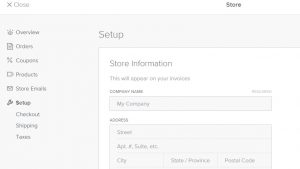
To add and/or customize your Weebly store, you’ll need to hit on “Store” tab in Weebly Site Editor. Once clicked, you’ll be able to access the available customization options.

Related: Ultimate Guide: How to Start a Weebly Website (Step by Step)

Weebly store setup

Weebly Checkout Options

Weebly offers four checkout options:

  • PayPal
  • Stripe
  • Square
  • Authorize.Net

Weebly store checkout

Here are the sub-tutorials, part of our Weebly Store series:

If you liked this tutorial, then you may consider subscribing to our WeeblyTutorials YouTube Channel for Weebly video tutorials. You can also find us on Twitter and Facebook.

How to Insert a Background Image in Weebly

This article describes how to insert or change a background image in Weebly. This feature allows you to uniquely customize the theme you’re using by changing your site’s background image with a new background image.


Customizing Weebly Background Image

Weebly offers hundreds of ready-to-use templates with fixed background image, in this tutorials, we explain the following possibility of inserting/changing the background image on a Weebly site.

Insert and/or Change the Background Image in Weebly

    1. Login to your Weebly Site Editor and edit the site which you want to change the background image.
    2. Once logged in, navigate to the homepage, click anywhere and the following toolbar will appear

Insert background image weebly

    1. Click Edit Background then Images

Insert background image weebly

  1. The background images gallery will appear. You have the option to choose an image or to hit upload and select the preferred image from your computer.

Insert background image weebly

If you liked this tutorial, then you may consider subscribing to our WeeblyTutorials YouTube Channel for Weebly video tutorials. You can also find us on Twitter and Facebook.

Insert images to weebly.jpg

How to Insert Images in Weebly Website

Do you want to insert images? This article describes how to insert images in Weebly. There are several ways to add images into your Weebly website: Image Elements, Slideshow Elements, Gallery Elements, and via Headers or Backgrounds. The most commonly used of these is the Image Element, so we’ll put our focus there in this tutorial.


[fusion_youtube id=”A8y_lZ-bTfM” width=”” height=”” autoplay=”false” api_params=”” hide_on_mobile=”small-visibility,medium-visibility,large-visibility” class=””][/fusion_youtube]

Watching the video above should have given you a pretty good idea on how to insert images in Weebly.

If you liked this tutorial, then you may consider subscribing to our
WeeblyTutorials YouTube Channel for Weebly video tutorials. You can also find us on Twitter and Facebook.

Add youtube video to weebly

How to Add YouTube Video to Weebly: Step-By-Step Guide

Videos transfer information and ideas really fast. Thus, this type of media can be used effectively for engaging web audience. In this tutorial, we are going to explain how to add a YouTube video to your Weebly website.


The YouTube Video element in Weebly allows you to embed YouTube videos on your web page. This element can be found in the Media section of the Elements tab.

To add a YouTube video to your page:

  1. Drag and drop the YouTube Video element anywhere on your page.

Youtube element Weebly

  1. Click anywhere in the element to bring up the toolbar.
  2. From YouTube, click the Share button beneath the YouTube video, and copy the direct link for the video. No other link will work, so be sure to use the one found here.
  3. Paste the direct link into the Video URL field of the toolbar, and your video should show up on your page in less than a minute.
  4. If your video does not show, please ensure that you are copying the correct link. Do not copy the embed code.
    Once your video appears, you can determine the size of the video player and how you want to position it on the page.

Adding Youtube Video to Weebly – Video Guide

We’ve also prepared a video tutorial on our Weebly Tutorials YouTube channel.

[fusion_youtube id=”t42y2uoux0w” width=”” height=”” autoplay=”false” api_params=”” hide_on_mobile=”small-visibility,medium-visibility,large-visibility” class=””][/fusion_youtube]


SEO trends Weebly

Current SEO Trends and the Future of SEO

Disclaimer: This article has been submitted to the Fort Hays State University for the Spring semester 2017 as my research paper. I am making it public so everyone can read it but please do not copy it elsewhere without my written permission.


SEO, which stands for Search Engine Optimization refers to all the techniques that are meant to improve the visibility of an online website. For instance, that covers the submission (indexing) to the different search engines, positioning that allows web pages to have a high rank in the search results – means mainly, positioning the website or specific pages of the website on the first results page for certain keywords.

The difficulty of the SEO aspect lies, not in the websites’ advertisements on the search engines but rather on structuring the content and the internal/external (On-Page, Off-Page) mesh so that the pages will be well positioned in the search results with the chosen keywords. Overcoming these kinds of challenges is not an easy thing.

Related: How to Choose the Best Domain Name

The majority of Internet users, if not everyone, tend to use the different search engines such as Google to find relevant information, depends on what they are looking for. Literally, we do question the search engine using some queries that contain keywords so that we find the needed information that best meets the expectations. Therefore, and as per this, choosing the right keywords to optimize our websites on is the very first and essential tips to start with.

In this research paper, we are going to mainly go through the SEO basics, covers some tips and tricks, analyze the trends, what kind of improvements we can implement and expect what the future of SEO. All of this can allow us to stay ahead of the curve.

Key issues with current trends:

SERP (Search Engine Result Pages) overhauls

SERP (Search Engine Result Pages) refers to search results as displayed after a query. It is essential to understand that from one user to another, the results for the same search engine can vary, depending on the settings chosen by the user (language, number of results per page). But also, according to the place (country, region) from which the request is made or the terminal (mobile, tablet, desktop) or sometimes according to requests previously made by the user. The A / B testing to test different displays. As such, it is not uncommon for a site to disappear from SERPs on a request for 24 to 48 hours, and then reappear. This means that we must wait at least 72 hours before worrying.

For instance, it is not because we see a website in the first position and/or search results page that necessarily is on it. To get a result that is as close as possible to what most users see, it is advisable to clear the browser’s cache/history, or even to navigate using the incognito mode.

The main issue with all of this is that we cannot tell how many times SERPs algorithms were altered and have dramatically changed the last decade and everyone can handle the changes; some of these changes are so small, it’s okay to deal with, others not. Looking back at how SERP used to be and how it is now, this will make us revise our consideration and what we should do to overcome the change for a better SEO positioning.

The death of keywords (as we know it)

SEO used to make sense only in terms of keywords, that is, words used by visitors to search. The first thing on SEO was just to determine the keywords on which one wishes to position the pages of their site. That was before, now is definitely different, the keywords we have in our heads do not always correspond to the keywords used by the visitors, might because they tend to use the shortest possible terms or to make spelling mistakes. Even if we play good at it and try to use one of the several tools that allow comparing the search volume of a specific keyword on different search engines, we won’t really do it right. Search is no longer about the sentence we enter; it became about launching a normal discussion with the visitor. This change has heavily affected the way we deal with search engines, simply once search is about discussions vs. query, we can no longer purchase or play with keywords, instead, we have to engage ourselves in the discussion. The simply answer to this issue is that Google and the other search engines have changed their ways of thinking. In short, keywords are dead; unique content is a king.

Organic vs. Paid SEO

SEO is not necessarily paid for because the search engines index websites free of charge and it is not possible to pay them in order to get a better position on the SERP.

It is enough that other sites point to ours for example so that the engines visit it and the more popular, high-quality links, the better a site will rank. However, the methods to be implemented are numerous; sometimes complex and a simple mistake can have important repercussions, which is why many companies do hire SEO professionals to help them out with this process. On the other hand, with paid SEO it is possible to buy keywords on the search engines. They are called sponsored links, which they will be shown around the so-called natural search results. This is referred to as SEM (Search Engine Marketing) as opposed to SEO (Search Engine Optimization). SEO tends to be a vast notion, requiring a lot of experience and with many hidden difficulties, it is advisable for companies to call on specialized SEO agencies that will be able to advise and accompany them.

Web pages content

Facts as page title, URL, body text, meta tags, hyperlinks and many more have to be taken into consideration in order to have an optimized result. For instance, any page’s title must describe the webpage’s content as precisely as possible (in under 7-10 words and 60 characters). The title is a very critical as it will appear in the user’s favorites as well as in the search history.

Moving to the page’s URL, most if not all search engines attach major importance to keywords present in the URL, especially to the ones that are shown in the domain name (.TLD’s however do not have any impact). Companies and organizations are advised to use a fitting file name that contains one or two keywords for each of the websites files rather than names like page1.php, page2.php, etc.

Related: How to Make a Weebly Website in 2021 – Step by Step Guide (Free)

Passing to the web page’s body and in order to improve the content of each web page, the content must be transparent, as an example, it must contain as much text as possible that is index-able by search engines. I mean, page content must be high-quality content aimed at visitors. However, it is possible to improve it by making sure that different keywords are present and highlighted.

A very important and essential thing to consider is the hypertext links. In order to give each of our pages maximum visibility, we should set up internal links between your pages to allow indexing robots, or crawlers, to browse your entire website structure. Setting up external links is as well a very a very good idea.

That is pretty much everything that we have to know considering the SEO. I admit most of what covered fall under the On-Page tricks but are far enough to optimize our websites if we really followed the good habits.

The future of SEO

Last few years were rich in SEO announcements; many trends are being implemented. As per my personal thoughts and experiences, I am sharing with you the main keys that we have to consider when optimizing our websites.

Mobile prioritization. Mobile becomes a priority thing to consider and work on. The popularity of mobile devices, especially since the launch of iPhone, back in 2008, the most known and widely used search engine, Google, has clearly shown the importance of optimizing any online platforms for mobile use. Indeed, starting from last year in 2016, mobile queries have absolutely bypassed desktop searches in Google search. Therefore, optimizing a website for mobile use is a must. This is something that was not really necessary to do so in the past.

Image and videos. Nowadays, from a SEO perspective, we have to admit the fact that there is a way more focus on image and video rather than just text (even though body text is still the most recommended trick for organic SEO). This also linked to these kinds of creative advertising tricks are getting more and more popular, I mean, we are seeing a different kind of paid search everywhere, with either video and/or for instance, ad articles.

Local Search. Google and most other search engines have changed the way they return results per location. With the recent updates these last years, ranking algorithms for local result have changed, giving well-optimized websites per country-region a big advantage in search results. For instance, starting with even the domain names, a domain that has a ccTLD such as .CA, will rank more for any Canadian visitor considering another clone website with different TLD. Without even digging more into the algorithms, Google confirmed that some terms such as ‘Nearby’ and ‘Near me’ have doubled in its searches. This simply means that visitors as well are more concerned about local business, and would certainly appreciate SERPs related to their regions.

Secure (SSL) Search. It is really worth it to know that Google has already started giving a ranking boost to secure HTTPS/SSL websites. This change has taken effect in mid-2016. In short, switching to HTTPS, increases ranking and security. Even if it is a minor ranking boost, working on all SEO aspects is a good habit to have an optimized website, overall. One more last thing before we move on this: Anyone who is willing to perform the change and switch from HTTP to HTTPS, he should properly handle the migration otherwise this will make his traffic suffers. For example, we are obviously to tell Google that the actual website uses HTTPS and not HTTP, with some sorts of redirects such as with .htaccess.

The Search Conversation. Google and the other know search engines have always given us search results that are somehow related to our search and browsing history.

Last few years, in a tr, to create a more natural search experience, search engines, at least what Google has confirmed, started working on a way to implement search results that are based on our “search discussions” — across different devices, using voice search. For instance, I will take an example to use Google voice search for a simple search query [Laptop]. As any search query, the engine gave the normal result set for that question. Nothing so impressive here, aside that Google handled my bad English accent, as it is my third language.

Now, trying to do another search query, this time for BestBuy. The impressive in this story is that Google assumed that I am in the same search “discussion” and is treating both search queries (for laptop and for BestBuy) as part of a larger discussion; therefore, it went ahead and automatically changed my search query to [BestBuy Laptop] even though I only searched for BestBuy. Even though the search’s quality and relevance are quite doubtful, I guess this is going to be a huge step forward improving and implementing a new the search experience.

The changes are affecting Organic & Paid Search. If in the near future this kind of search query change goes viral, it simply can affect the whole SEO industry. From an SEO view, no SERPs will be static to everyone. For instance, if a user searches first for BestBuy and then for Laptops, the results will be shown for [BestBuy Laptop] instead for just [BestBuy]. Basically, the results will differ from visitor to visitor. That is how the keywords might be useless. This is already starting to affect every business online; we are started seeing many changes with most of the well-known web platforms.

Conclusion

When years go by, there might be surprises and trends coming up, but when it comes to optimization, there are things that do not change. The simplest tips are for instance to always opt for quality more than quantity and to be observant about what is happening in the world.