
How to Create an Online Store with Weebly1 min read

Weebly provides a surprisingly easy way to sell your products online. Weebly eCommerce capabilities are enabled only within the paid plans starting from the business plan.
In this tutorial, we’re going to explain how to create an online store with weebly.
Related: How to Create a Free Blog with Weebly: 3 Simple Steps
Online Store Creation with weebly
Check the below demo explaining the step by step process of creating an online store in Weebly starting from site creation to actual view of your store in a published site.
[fusion_youtube id=”0BjOI2jwTd0″ width=”” height=”” autoplay=”false” api_params=”” hide_on_mobile=”small-visibility,medium-visibility,large-visibility” class=””][/fusion_youtube]
Here’s another awesome video that goes in details on how to build an online store with Weebly
[fusion_youtube id=”0CCKJwb-OUM” width=”” height=”” autoplay=”false” api_params=”” hide_on_mobile=”small-visibility,medium-visibility,large-visibility” class=””][/fusion_youtube]
Customizing Your Weebly Store
To add and/or customize your Weebly store, you’ll need to hit on “Store” tab in Weebly Site Editor. Once clicked, you’ll be able to access the available customization options.
Related: Ultimate Guide: How to Start a Weebly Website (Step by Step)
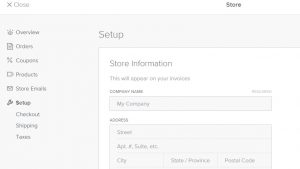
Weebly Checkout Options
Weebly offers four checkout options:
- PayPal
- Stripe
- Square
- Authorize.Net

Here are the sub-tutorials, part of our Weebly Store series:
- Adding or Updating Weebly’s Store Information
- How to Add a Product Category to your Weebly Store
- How to Add Products in your Weebly Store
- Weebly Payment Methods for Online Store Cart Checkout
- Weebly eCommerce Store Examples
If you liked this tutorial, then you may consider subscribing to our WeeblyTutorials YouTube Channel for Weebly video tutorials. You can also find us on Twitter and Facebook.


0 Comments